

Welcome to Monitor Support!
For Monitor ERP users

Need assistance? Read on!
Monitor’s online help

Customer platform
A brand new support portal that replaces the previous one. It gives you an overview of all companies and allows you to easily create and manage cases.

Monitor Academy
Our consultants
New features in latest version
Monitor Idea Forum

Frequently asked questions
What’s the fastest way to get an answer to my question?
Our online help is an extensive source of information, where you can perform searches in the specific area where you need assistance. Always check here first.
I’ve looked at the online help and can’t find a solution, what should I do?
If you can’t find a solution in the online help, we recommend that you log into myMonitor and create a case.
Describe your issue as accurately and as in as much details as possible. Attach screen shots or other relevant information, such as which procedure the issue is in, which can help us identify the issue.
The more information you give, the quicker we will be able to help you.
If you can’t log into myMonitor, you can contact us by sending an e-mail to support@monitorerp.com
Leave your name, e-mail address, company, company ID and tell us what you need help with.
How quickly can I get help?
We aim to respond to cases received within eight hours. The time taken to resolve a case may differ depending on the issue involved. Straightforward cases can be resolved the same day, others may take more time. Get in touch with us and we’ll do our best to help.
Click here to visit our contact page.
If you have an urgent issue – for example, if production is at a standstill or you can’t send invoices – we recommend that you call us. You’ll find the telephone number at the bottom of the page.
How can I track the progress of my case?
If you log into Monitor’s customer platform, myMonitor, you will be able to see the current status of your case. Log into myMonitor.
What system requirements apply for Monitor G5?
When is the Asia Support Center closed?
Please note that the Asia support center is closed on the following Public Holidays (see list below), however, our Swedish support center has English-speaking Support Technicians that can assist you on most of these days. Bear in mind that this center may have a different time zone, which may affect the opening hours.
Public holiday calendar 2026
|
01 Jan |
Thu |
New Year |
|
|
17 Feb |
Tue |
Chinese New Year |
|
|
18 Feb |
Wed |
Chinese New Year |
|
|
21 Mar |
Sat |
Hari Raya Aidilfitri |
23 Mar (Mon) |
|
22 Mar |
Sun |
Hari Raya Aidilfitri |
24 Mar (Tue) |
|
01 May |
Fri |
Labor Day |
|
|
27 May |
Wed |
Hari Raya Haji |
|
|
01 Jun |
Mon |
Agong’s Birthday |
|
|
31 Aug |
Mon |
National Day |
|
|
16 Sep |
Wed |
Malaysia Day |
|
|
08 Nov |
Sun |
Deepavali |
09 Nov (Mon) |
|
25 Dec |
Fri |
Christmas |
How do I access the old support portal?
You can access the old support portal here: Log in to the support portal.
Need help?
There are different ways to contact the Monitor Support Center.
For urgent issues, or if you’d prefer to talk to us, you can phone +60 4371 7813 or email support@monitorerp.com.
- Malaysia Support: 8 a.m.–5 p.m.
- Sweden Support (English Language only): 5 p.m.–11p.m. (GMT+8).
- We offer support in the local language through our subsidiaries and partners in Malaysia, China, Denmark, Norway, Finland, Estonia, Slovenia, Poland and United Kingdom.
Sometimes we’ll need to see your system with our own eyes to find a solution. In this case, we’ll use Splashtop.
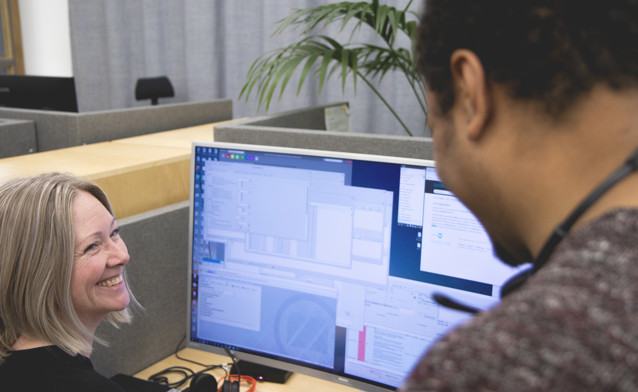
Connect using Splashtop
Click here to get up and running with Splashtop.
Tip! Add Splashtop to the desktop in your Monitor ERP application with the desktop component, Favorites. This means you’re only one click away from getting help via remote control.